There is something very satisfying about moving your hand in front of a camera and seeing the computer do something because of it. A small movement becomes an instruction. It has a bit of that science-fiction feeling, even when the result is simply typing a few characters into an editor.
My latest app, Minority, explores that idea. It is a native macOS menu bar app where you record your own gestures, assign actions to them, and then use your hands to trigger those actions. You can use one hand or 2, hold a pose, or record a movement.
The name and idea come from Minority Report, the film where people move their hands to control large, futuristic interfaces. Minority is a long way from that: it is a small app that recognises gestures through a camera and maps them to practical actions. But the film made that kind of interaction fun to imagine, and I wanted to explore a modest version of it.
The interesting part for me is being able to define the gesture myself. The app compares what the camera sees with the examples I have recorded, so the interaction starts with a movement I choose.
See it in action
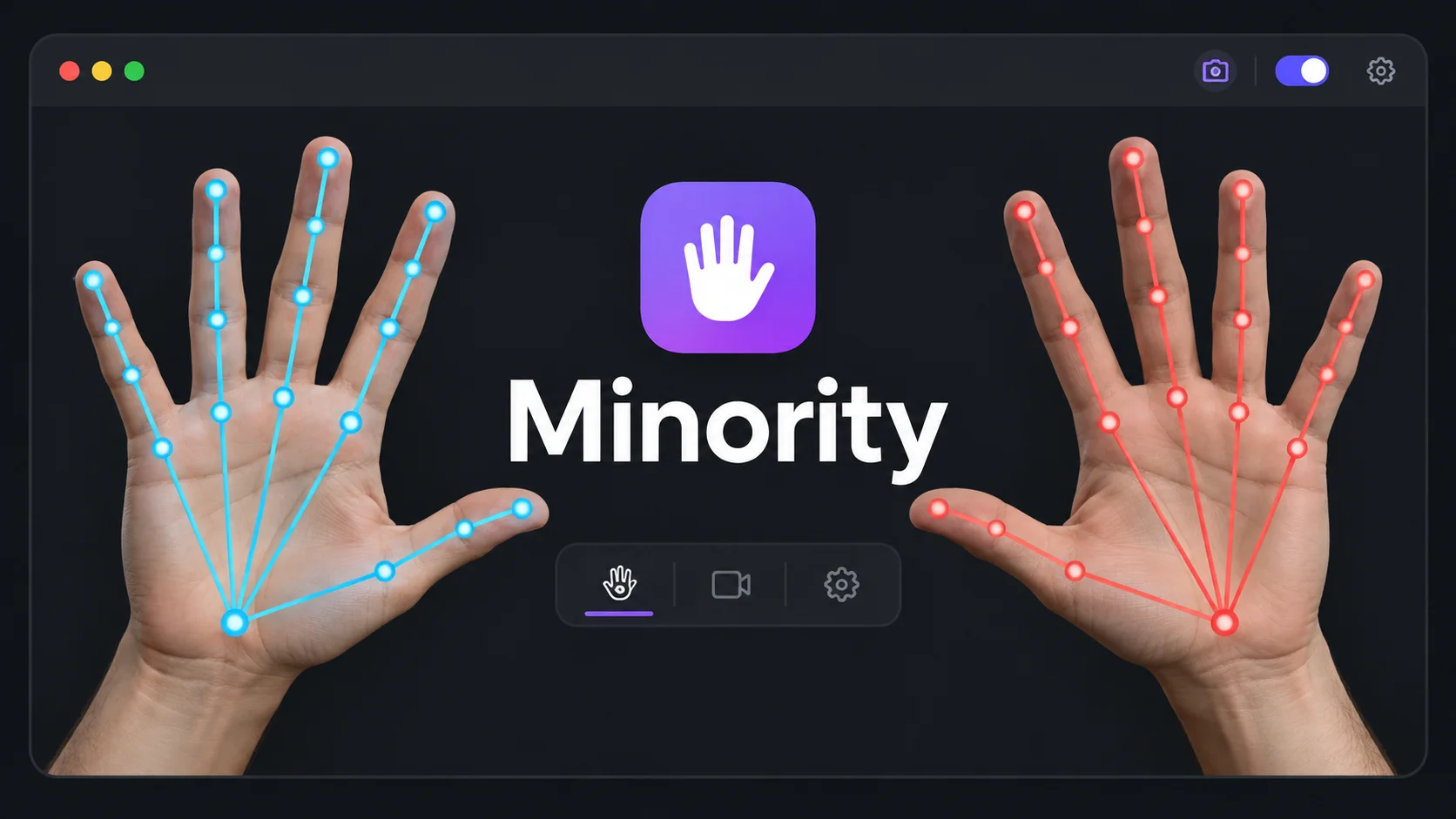
The demo shows Minority’s live hand tracking, and gestures bound to text actions. Seeing the colored skeleton follow each finger makes the whole thing much easier to understand than a description of the recognition code.
Minority tracking hand gestures and triggering text actions. The thumbnail is an illustration inspired by the demo. Open the demo video.
Teaching it a gesture
The flow is fairly simple. Open Minority, choose whether the gesture uses one hand or 2, and start recording. A 3-second countdown gives you time to get into position. You can hold a static pose or perform a movement, then finish the recording.
Each gesture needs at least 3 recordings and a successful recognition test before it can be saved. During the test, the app checks whether it recognises the gesture without sending its action to another application. That gives you a chance to see whether the examples are clear enough before enabling it.
After that, give it a name and choose what it should do. Actions include scrolling up or down, going back in a browser, sending a keyboard shortcut, and typing text. A shortcut makes this quite flexible: the gesture can trigger whatever that combination normally does in the application receiving it.
Gesture control starts disabled, and you enable it from the menu bar. Saved gestures can be edited, disabled, or given more examples later.
What the camera actually sees
Minority is built in Swift and uses Apple’s Vision framework to detect hand landmarks locally. It draws a skeleton with 21 joints for each detected hand, along with information about how extended the fingers are.
Those points become a description of the hand shape and movement. For moving gestures, the matcher uses dynamic time warping to compare the live sequence with the saved examples. In practical terms, it allows some variation in timing: repeating a movement a little faster or slower should still be recognisable.
For gestures using 2 hands, both share the same timing alignment. Their coordination matters, not just whether each hand separately made a similar movement. If different saved gestures are too close to call, the matcher ignores the ambiguous result.
There is no separate model-training step when you add a gesture. Each recording is another example to compare against. The app saves normalized hand shape and movement data locally; camera frames and video are neither stored nor uploaded.
Still a camera, still some limits
The camera needs a clear view of your hands, and the gestures need to be different enough from each other. Hiding fingers or making several almost identical movements makes recognition harder. Adding 3–5 examples with natural variations in speed and distance helps, but it does not make every possible gesture reliable.
That is also part of what makes this interesting to build. Detecting a hand is only the beginning. Deciding when a movement is deliberate enough to send an action to another app is the part that turns the detection into an interaction.
Try it
Minority is open source: the source code and build instructions are available on GitHub. The build script creates Minority.app; the current build setup requires a valid code-signing identity. On first use, allow camera access and grant Accessibility permission so Minority can send actions to other apps. The README explains the setup.
Minority is a demo project, and there are still plenty of improvements to make, both to gesture recognition and to the overall experience. This version is a way to explore the idea and see how it works; I’ll keep iterating from here.
I like projects where the result is immediately visible. Move a hand, see the tracking, trigger an action. There is plenty of detail underneath, but that small loop is enough to make me want to keep playing with it.
Thanks for reading, Hack the Planet!